
Unlock the Full Power of Cloud Gaming on iOS
CloudGear is a next-generation web browser for iPhone and iPad, designed specifically for cloud gaming services such as GeForce NOW, Xbox Cloud Gaming (xCloud), and Boosteroid.
Safari holds cloud gaming back — missing essential features like controller rumble, mouse pointer lock, HDR, 10-bit color, and true fullscreen immersion. CloudGear solves this with a custom-built, low-latency rendering engine and comprehensive hardware integration, delivering the performance and immersion that iOS gamers deserve.


Uncompromised Performance & Visuals
Our custom engine shatters the limits of mobile browsing, unlocking the potential for peak performance and stunning visual fidelity.
High-Resolution & Smooth Frame Rates
Experience buttery-smooth gameplay with support for up to 120 FPS and stunningly clear 5K video on supported platforms.
HDR & 10-Bit Color
See games the way developers intended with high dynamic range. Deep blacks, bright highlights, and rich color gradients bring virtual worlds to life.
Advanced Codec Support
Full support for AV1 and H.265 ensures you get the crispest image quality at the most efficient bitrates.
Immersive Audio
Go beyond stereo with support for up to 7.1 channel surround sound and head-tracked spatial audio that puts you in the center of the action.
Specific feature availability like resolution, FPS, and HDR depends on the cloud gaming service and your subscription tier.

Desktop-Class Controls & Immersion
Whether you're on a cloud gaming platform or a browser-based HTML5 game, CloudGear instantly upgrades your experience with features that Safari lacks.
True Mouse Pointer Lock
Get the precision you need for competitive play. Your cursor is captured within the game for flawless, uninterrupted aiming, just like on a PC.
Full Controller Vibration
Feel every impact, explosion, and rumble through any connected gamepad for maximum immersion.
Immersive Fullscreen Mode
Hide all distracting UI elements with a few taps. It's just you and the game.
Comprehensive Video Sizing
Take full control of your view. Zoom, stretch, or manually position the video stream to eliminate black bars and use every inch of your display.

A Browser Built for Gamers
We designed every aspect of CloudGear to stay out of your way and keep you in the game.
Clutter-Free Interface
An edge-to-edge view with a hidden navigation bar you can reveal with intuitive gestures.
External Display Support
Connect your iPhone or iPad to a TV or monitor via an HDMI adapter and turn your device into a powerful gaming console.
Total Customization
Fine-tune everything from mouse sensitivity and scroll inversion to haptic feedback intensity.
Your Gaming Hub
Organize all your cloud services on a customizable home screen for quick access to your games.
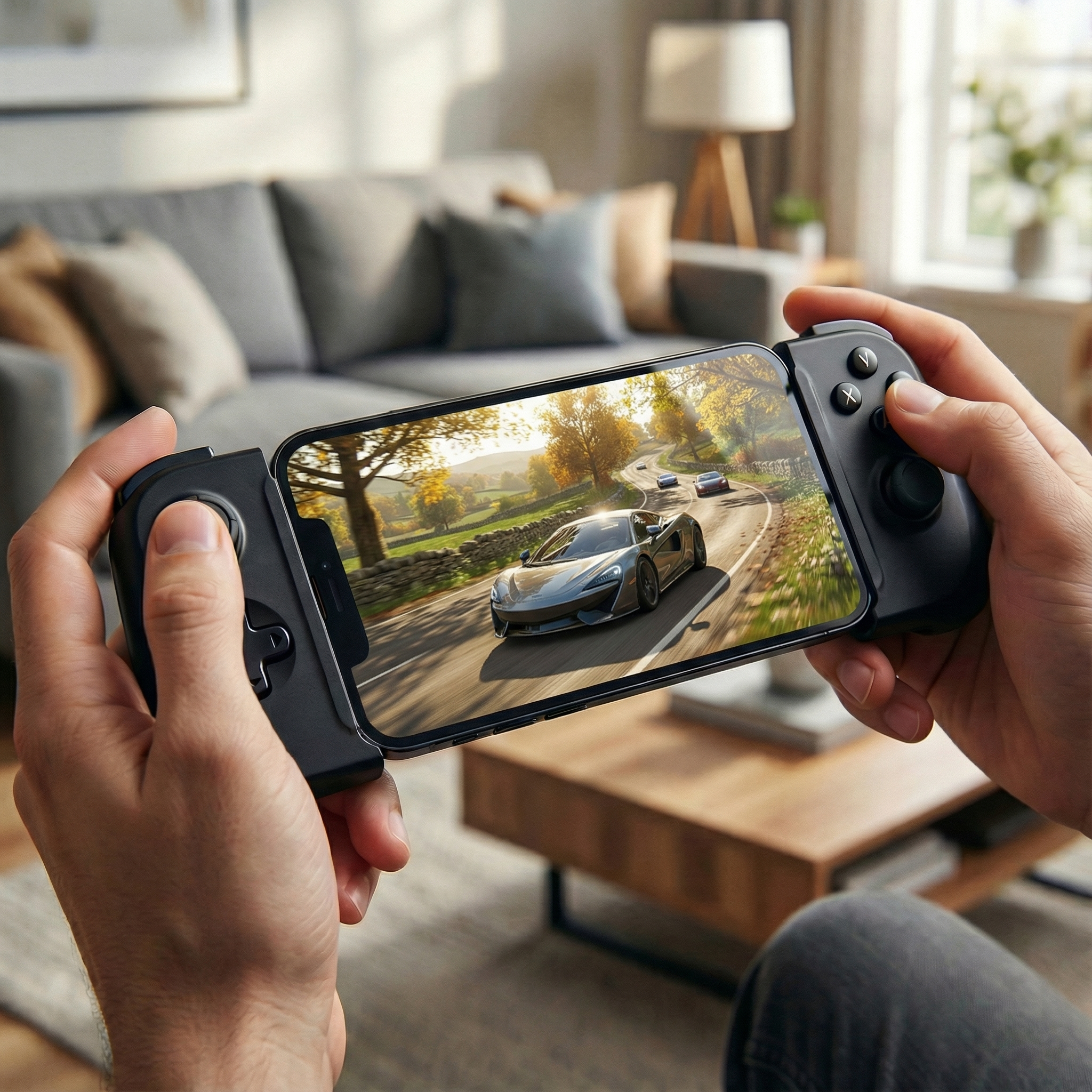
Supercharge Your Favorite Service
CloudGear unlocks the full potential of each of the following platforms, delivering the highest performance and best experience possible.
GeForce NOW
Experience Ultimate membership with up to 5K at 120 FPS, H.265 & AV1 codecs, HDR, 10-bit color, and 7.1 surround sound.
Boosteroid
Stream at up to 4K at 120 FPS (including on mobile) and enable experimental HDR. Take full control with Custom Resolution Selection to force a pixel-perfect stream on any display.
Xbox Cloud Gaming
Better xCloud is built-in. Install and update the essential script directly from the CloudGear menu and enjoy all the advanced functionality that it provides.
HTML5 Gaming Sites
Perfect for any browser-based game that benefits from true controller support and precision mouse input.
Actual streaming quality is determined by each service's capabilities and your subscription plan. CloudGear enables the maximum quality available to your account.

CloudGear vs. Safari
Stop compromising. See what you've been missing.
CloudGear | Safari | |
|---|---|---|
| Visuals & Performance | ||
| Max Video Resolution (with GFN Ultimate) | 5120 x 2880 | 1600 x 1200 |
| Max Frame Rate (with GFN Ultimate) | 120 FPS | 60 FPS |
| Max Bitrate (with GFN Ultimate) | 100 Mbps | 75 Mbps |
| HDR | ||
| 10-Bit Color | ||
| Low Latency Rendering | ||
| Video Codecs | H.264, H.265, AV1 | H.264 |
| Controls & Input | ||
| Controller Vibration / Rumble | ||
| Mouse Pointer Lock | ||
| Keyboard Lock | ||
| Custom Mouse Sensitivity | ||
| Custom Rumble Sensitivity | ||
| Scroll Direction Inversion | ||
| Use Device Haptics For Rumble (iPhone Only) | ||
| Audio | ||
| 7.1 Surround Sound (with GFN Ultimate) | ||
| Background Audio Playback | ||
| Spatial Audio | ||
| System Integration | ||
| Immersive Fullscreen | ||
| Configurable Video Sizing | ||
| Clutter-Free Interface | ||
| Native Resolution External Display (No Black Bars) | ||
| Built-in "Better xCloud" Manager | ||
| Configurable Background Idle Timeout | ||
| Prevent Screen Dimming | ||
| Landscape Lock While Streaming (iPhone Only) | ||
Ready to Elevate Your Game?
Download CloudGear on the App Store and unlock the true potential of cloud gaming on your iPhone and iPad.
Join the Community
Have a question, need support, or just want to talk games? Our community is the place to connect with fellow players, share your setup, and chat about all things cloud gaming.